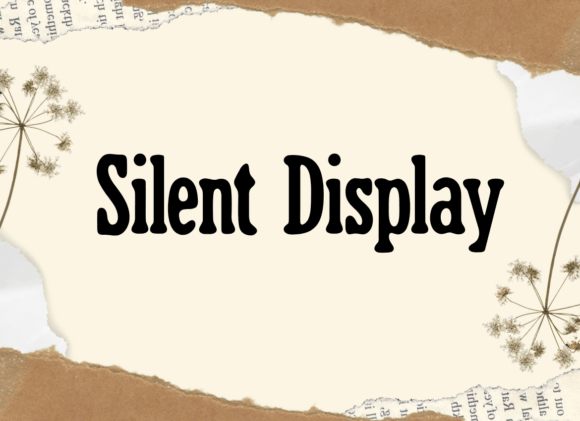
Silent Display: Using Playful Typography Without Sacrificing Clarity
Finding a typeface that balances personality with professional utility is one of the most common challenges in graphic design. You want your project to feel approachable and unique, but you also need it to function effectively as a communication tool. This is where Silent Display enters the conversation. It is a distinctive typeface defined by its circular ends, creating a whimsical and bouncy aesthetic that immediately signals lightheartedness. However, because this font carries so much visual character, it requires a more thoughtful application than standard sans-serifs.
The appeal of Silent Display lies in those rounded terminals. They soften the overall texture of the text, making headlines feel less aggressive and more inviting. For brands targeting families, creative agencies, or lifestyle products, this organic geometry can be a powerful asset. Yet, many designers and marketers stumble when integrating such a specific style into their workflows. The goal is not just to use a fun font, but to use it correctly so that the playfulness enhances the message rather than distracting from it.
The Readability Trap in Decorative Typography
The most frequent mistake when working with character-driven fonts like Silent Display is overestimating their legibility at smaller sizes. The very feature that makes this typeface special—the circular ends—adds visual weight and complexity to each glyph. When scaled down for body copy, captions, or mobile interfaces, these details can blur together, reducing contrast and slowing down reading speed.
A common error is setting entire paragraphs in Silent Display because it looks friendly in the design software preview. In practice, this creates a dense block of text that fatigues the reader. The bouncy rhythm that works beautifully in a 72pt headline becomes chaotic noise at 12pt. To avoid this, treat Silent Display strictly as a display face. Use it for titles, pull quotes, logos, and short call-to-action buttons. Pair it with a clean, neutral sans-serif or a highly legible serif for long-form content. This pairing preserves the joy of the primary font while ensuring your audience can actually consume the information without strain.
Misjudging Visual Hierarchy and Spacing
Another overlooked detail involves tracking and leading. Fonts with rounded terminals often have different optical spacing requirements than geometric or humanist typefaces. Beginners frequently leave the default tracking settings unchanged, which can result in awkward gaps or unintended collisions between the circular ends of adjacent letters. This is particularly noticeable in all-caps settings, where the uniform height amplifies spacing irregularities.
Rather than relying on auto-tracking, manually adjust the letter-spacing based on the specific word shapes. Silent Display may require slightly looser tracking in uppercase to let the circular forms breathe, or tighter tracking in lowercase to maintain word cohesion. Similarly, pay close attention to line height. Because the ascenders and descenders are stylized, standard line-height multipliers might cause lines to feel too cramped or excessively distant. Test your spacing in the actual medium of delivery, whether that is a printed poster or a responsive website, rather than trusting the canvas view alone.
Contextual Alignment and Brand Tone
Tone mismatch is a subtle but damaging issue. Silent Display evokes a specific emotional response: softness, nostalgia, and casual energy. A practical warning for entrepreneurs and marketers is to evaluate whether this emotion aligns with the actual content. Using a bouncy, circular typeface for serious financial disclosures, legal notices, or luxury high-end branding can create cognitive dissonance. The audience may perceive the design as unprofessional or tone-deaf because the typography undermines the gravity of the message.
Before committing to this typeface, audit your brand voice. If your communication strategy relies on authority, precision, or exclusivity, Silent Display might introduce an unwanted informality. Conversely, if your goal is to reduce friction and appear accessible, this font is an excellent strategic choice. Always test the typeface against real copy, not placeholder text. Seeing "Annual Tax Report" set in Silent Display will instantly reveal if the stylistic choice supports or sabotages your intent.
Licensing and Technical Compatibility Checks
Beyond aesthetics, practical oversights regarding licensing and file formats can derail a project. Many users download a font for personal experimentation and later assume they can use it commercially without verification. Silent Display, like many independent typefaces, may have tiered licensing structures. Failing to secure the correct commercial license for web embedding, app usage, or merchandise can lead to legal complications and unexpected costs down the line.
Additionally, check the character set before starting your layout. Some playful display fonts prioritize Latin characters and omit extended glyphs, currency symbols, or diacritics. Discovering mid-project that Silent Display lacks the specific accent marks needed for a bilingual campaign forces a redesign or an inconsistent font substitution. Verify language support and OpenType features early. If the font includes alternative characters or ligatures, explore them; these extras are often designed specifically to solve spacing issues inherent to the circular-end style and can significantly elevate the polish of your final design.
Optimizing for Digital and Print Environments
The rendering environment drastically affects how circular terminals appear. On low-resolution screens, the curves of Silent Display may alias or pixelate, losing their smooth, whimsical quality. In print, ink spread on uncoated paper can make the rounded ends appear heavier than intended, potentially closing up counters in smaller point sizes.
- For Web: Ensure you are serving optimized WOFF2 files and testing across multiple browsers. Consider using CSS font-smoothing properties judiciously to maintain edge clarity without making the rounds look jagged.
- For Print: Request a physical proof or consult with your printer about dot gain. You may need to increase the minimum point size by 1-2pt compared to digital mockups to preserve the integrity of the circular details.
- For Motion: If animating Silent Display, remember that the bouncy feel suggests elastic easing curves. Rigid, linear animations will clash with the organic nature of the letterforms.
Ultimately, Silent Display is a tool for adding warmth and distinctiveness to visual projects. Its success depends entirely on restraint and technical awareness. By respecting its limitations regarding size and context, and by verifying the practical details of licensing and rendering, you can harness its unique charm effectively. The circular ends should serve as a welcoming gesture to your audience, guiding them into your content with a sense of ease and delight, rather than acting as a barrier to comprehension. When applied with this level of care, the font transforms from a mere decorative element into a vital component of clear, engaging communication.